
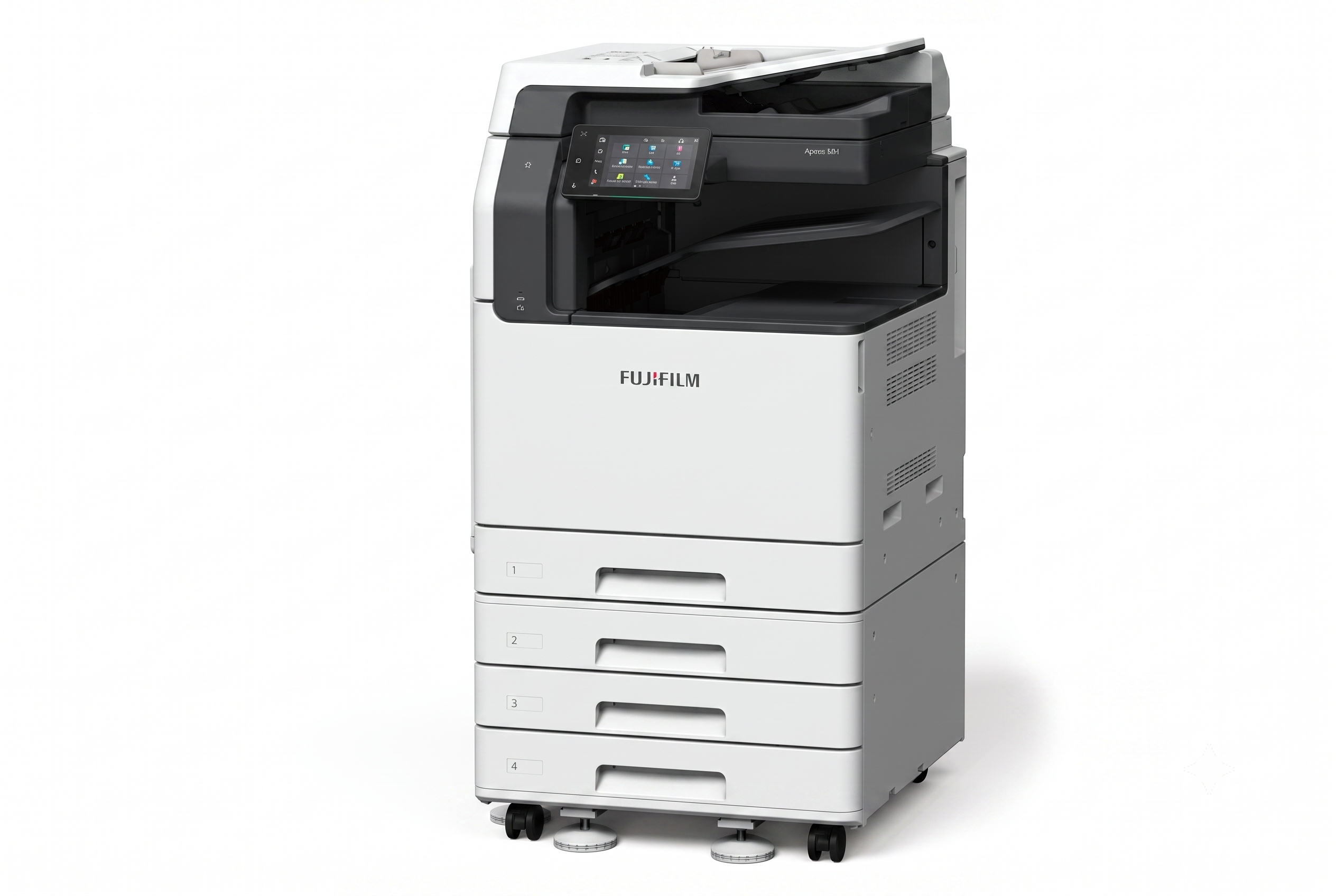
Easy-to-use 7-inch control panel delivers intuitive user experience and personalisation
The control panel serves as the gateway, connecting you to various smart applications on the multifunction printer at the touch of your finger. The touch panel provides excellent visibility and operability, responding to every touch and swipe for effortless navigation.
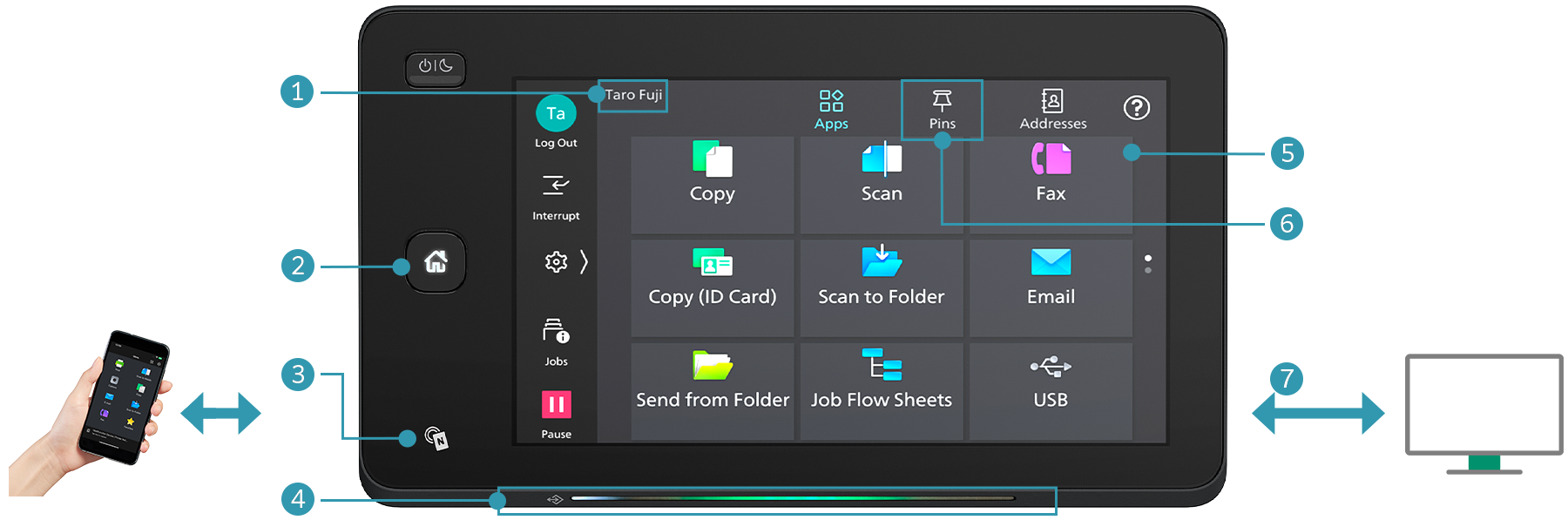
- Login name display
- Home button lights up with LED
- NFC touch area
Easily connect with mobile devices. Using Print Utility*1, you can perform basic multifunction printer operations*2 from your smartphone.- *1: Connect to the machine via wireless environment or Wi-Fi Direct® connection. It can be downloaded free of charge from Google PlayTM or App Store.
- *2: Copy, fax, print or scan.
- Note: AirPrint, Mopria® Print Service, and Mopria Scan are supported for printing or scanning by using a mobile device.
- Pleasant, gentle lighting notifies you of operation completion or errors
- Connect instantly from the app buttons
- Quickly access frequently used settings
On the Pins screen, you can restart jobs from the job history. Frequently used settings can be “pinned” to save time.User-friendly home screen
Frequently used app buttons can be arranged and customised based on individual user’s preference. - Remote Operation Panel
Device administrators can set up and manage the multifunction printer remotely.
By launching the Remote Operation Panel from a web browser, the multifunction printer’s control panel can be displayed to and operated from a PC.- Note: Within the same intranet. While the Remote Operation Panel is active, the multifunction printer’s control panel cannot be operated. Additionally, the Remote Operation Panel cannot be launched while the user is operating the multifunction printer.
- Note: The displayed screen differs from the factory default. Additionally, the LED lighting status varies depending on the situation. The LED lighting status in the image is for illustrative purposes only.
Make an impression with every print
High-resolution printing of 1,200 x 2,400 dpi is achieved with newly adopted LED printhead. The newly developed toner, combined with advanced image enhancement processing, reproduces diagonal lines, character outlines,and smooth halftones, giving every print a professional finish.
Small footprint fits in every office space
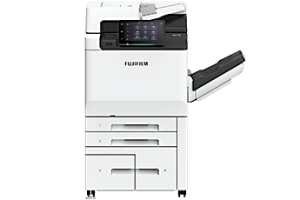
The compact design with width of 577 mm and depth of 659 mm* fits everywhere, including tight spaces, maximising office space utilisation.
- * For 1 Tray standard configuration.
Print seamlessly with versatile media support
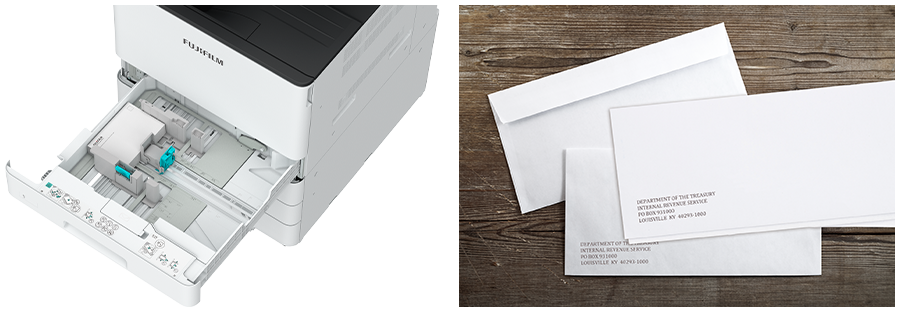
Supports wide range of paper size and weight*1, giving you the flexibility to personalise and print on envelope*2 direct mail, flyers, or even long banners*3.
- *1: Paper weight from 52 to 300 gsm. 106 to 300 gsm, when the Envelope Feeder is on.
- *2: Envelope and postcard can be printed directly from Tray 1.
- *3: Long sheets up to 297 x 1,200 mm.
Reviews
There are no reviews yet.