
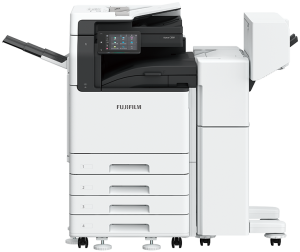
Preview before print to reduce wastage
Content of received fax can be previewed on the control panel before printing, allowing you to delete unwanted documents such as unsolicited faxes and print only what is necessary to avoid paper wastage.
Simple scanning to yourself
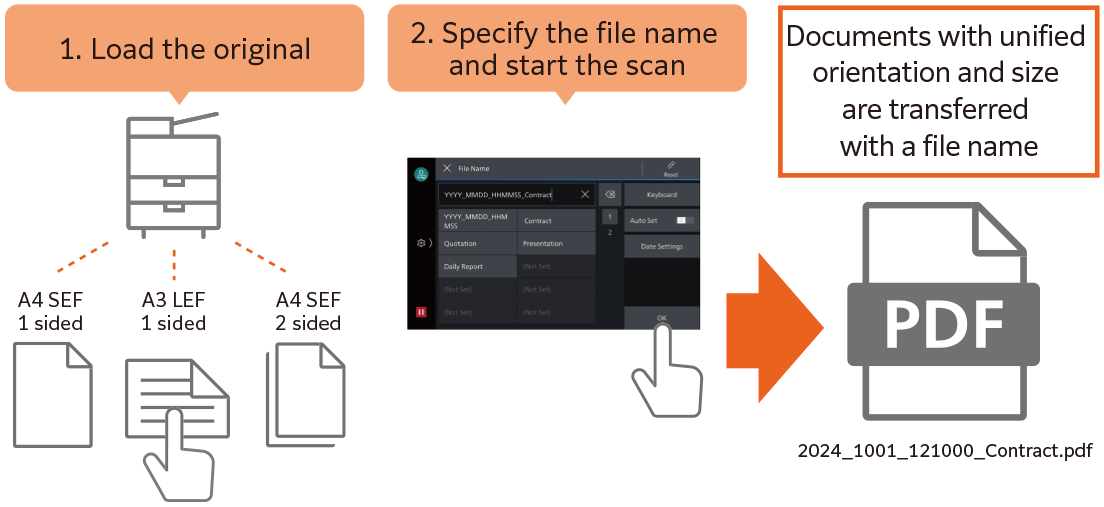
With ScanAuto, the pre-installed multifunction printer add-on application, you can easily send scanned data with a touch of a button and the multifunction printer will automatically select scan settings (such as document orientation, 1-sided or 2-sided) that are suitable for the document.
File names can be assigned from presets on the UI screen, ensuring scanned files will not get lost on the PC.
- Note: The destination can be selected from Scan (Email) or Scan (to PC)
Digitisation of paper documents for effortless document management
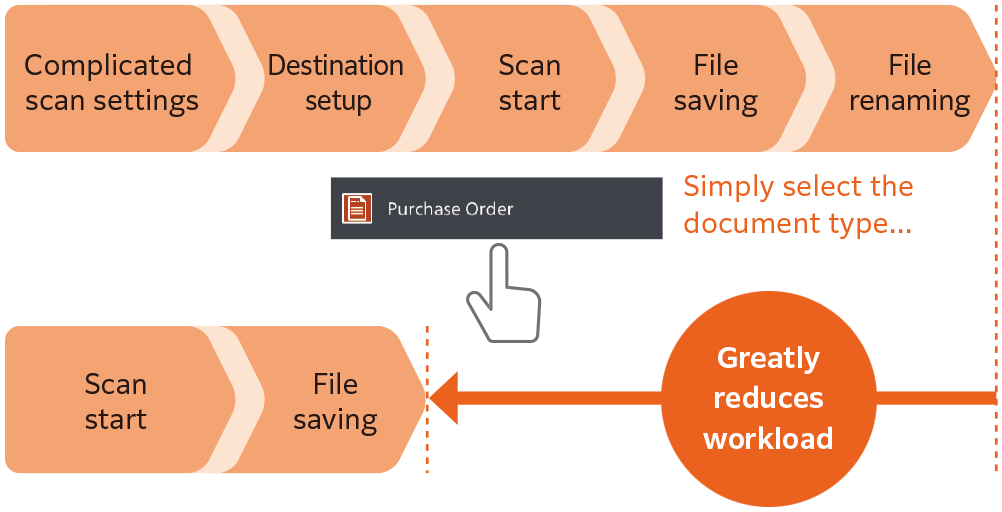
Scan Delivery Light* reduces your scanning workload by simplifying complicated and repetitive scanning workflow. Standard rules and templates can be created easily, allowing you to complete multiple actions (scan settings, storage destination designation and file renaming) with a single touch. Scanned information can also be managed and utilised centrally, improving productivity and resource optimisation.
- * Optional
Scan Delivery Light
Designing Simplicity
Easy-to-use, 7-inch control panel
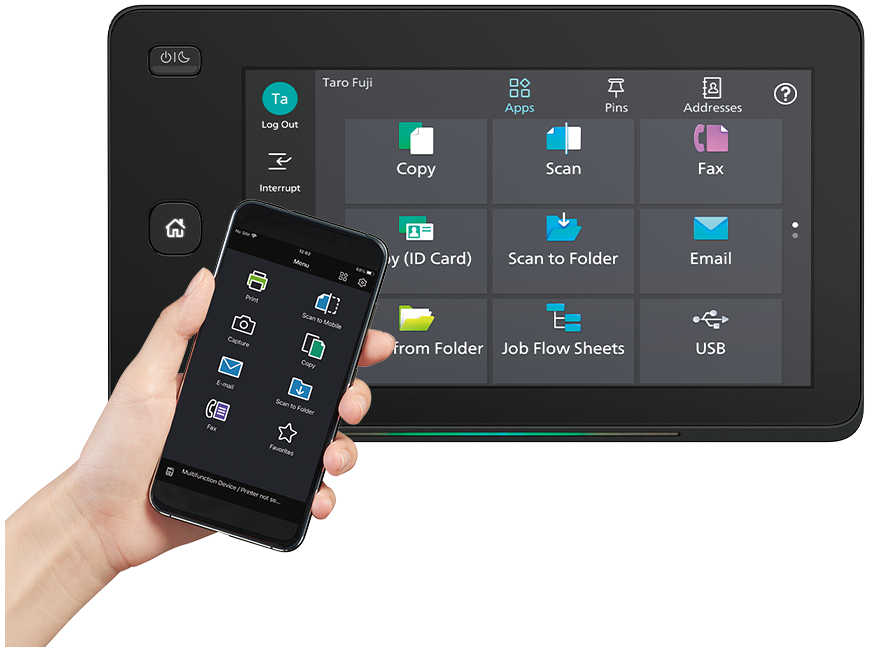
Effortless and intuitive operation at the touch of your finger
The home screen allows individual user to customise frequently used app buttons and arrangement based on individual preference. Frequently used settings can be “pinned” for easy access on daily basis.
Additionally, you can connect your mobile devices through QR code scanning or NFC to Copy, Fax*1, Print and Scan*2 jobs using the Print Utility*3 application.
- *1: Optional
- *2: Scan to Mobile, E-mail, Scan to Folder.
- *3: Connect to the machine via wireless environment or Wi-Fi Direct connection. It can be downloaded free of charge from Google PlayTM or App Store.
- Note: AirPrint, Mopria® Print Service, and Mopria Scan are supported for printing or scanning by using a mobile device.
Reviews
There are no reviews yet.